Japanese|English
Software download and rewriting procedure
- Important Notices
- - This Developer Preview version software is intended for application development, not for daily use.
- - Since this Developer Preview software is under development and not the final version of Android 17, the function may not work as expected.
- - If you rewrite your device, new personal content dedicated to the beta version software will be created. Since the personal content of the original software is saved at the time of rewriting, if you revert to the original software, you can continue to use the personal content of the original software.
- - Personal contents cannot be taken over when rewriting to or reverting from the beta version software.
- - If you rewrite your device, the following functions cannot be used.
- - O-saifu Keitai (Cannot be used including payment. Note that O-saifu Keitai data will not be deleted even after rewriting, so you can use it again after writing it back to the official software.)
- - The software will be reverted to the original one once the device reboot.
- - For inquiries regarding the Android 17 Beta Program, please be sure to Send Feedback to Sharp Corporation. (Please refrain from contacting retailers, application vendors, service vendors)
Device rewriting environment
Please prepare the following equipment and environment in advance.
<Required equipment and environment>
- Smartphone device (AQUOS sense10 SH-M33)
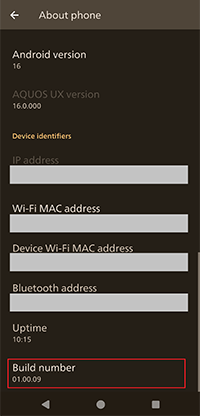
- * Update your device with the software of the build number "01.00.09" or newer
- * Check the free space of your device storage is 25GB over at "Settings - Storage"
- Internet environment
- * Connect the smartphone to the Internet.
- * We recommend to download the data in a Wi-Fi environment.
Download
You can download the Android 17 Beta Program for AQUOS.
Please use this download service after agreeing to the "Software License Agreement" below.
Application
Install it on the target device.
Rewriting procedure
- Check if the software build number of your device is "01.00.09" or newer at "Settings - About phone".
Please update your device to the newest software at "Settings - System - System update" if the build number of your device is older. - On your smartphone device, download the Join Beta Program app from Download in Android 17 Beta Program for AQUOS sense10 site and install it to your device.
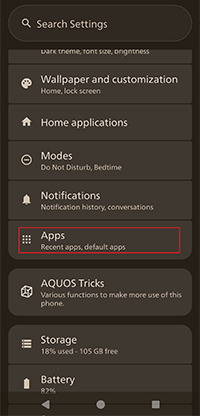
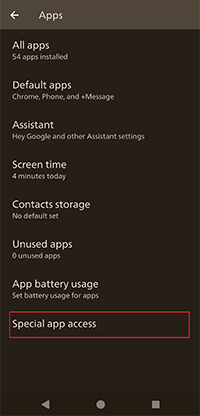
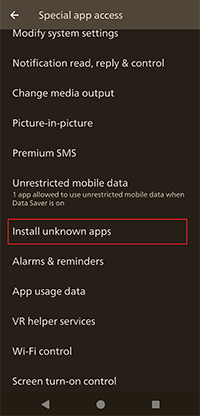
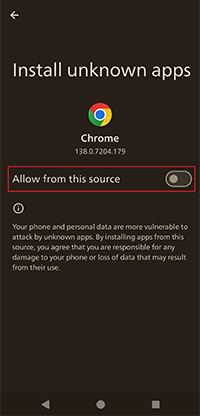
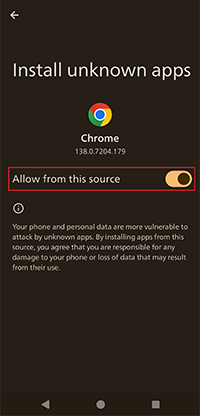
At that time, you need to enable “Install unknown apps”.
The following is an example of downloading the Join Beta Program application from the Chrome browser.
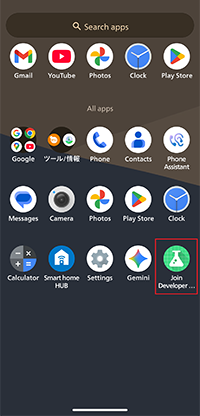
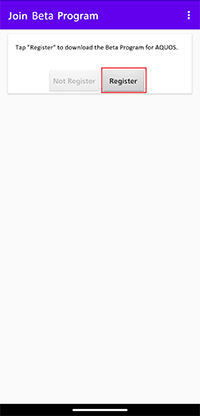
Please let "Allow from this source" unable after the installation of Join Beta Program app. - Launch the installed Join Beta Program app.
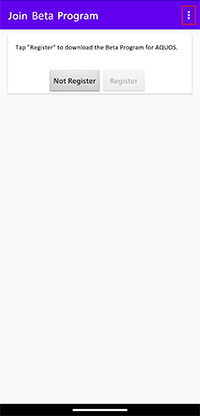
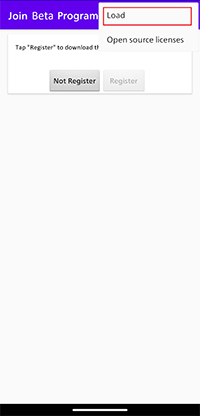
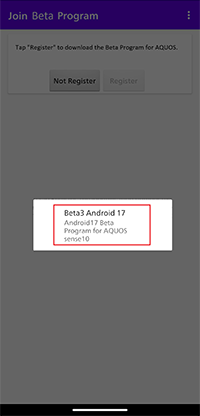
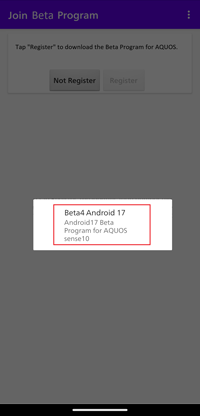
- Select "Load" from the menu icon in Join Beta Program app, and choose the software to be installed, then installation starts.
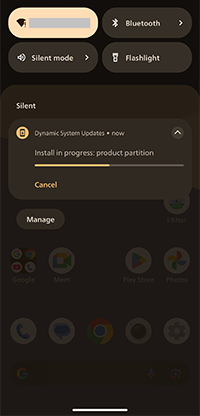
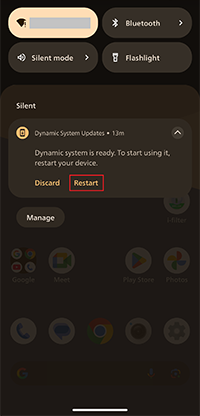
Installation progress can be checked at the notification of "Dynamic System Updates". - After the installation completed, tap "RESTART" on the notification.
After the device reboot, the upgrade procedure of Android 17 Beta Program is finished.
Upgrade procedure to the latest version
- Select "RESTART" on the notification of "Dynamic System Updates".
- After the device reboot, the software will return to the original state before the rewriting procedure.
Select "Load" from the menu icon in Join Beta Program app, and choose the latest software, then installation starts.
At this time, the installed software will be automatically removed.
Please make a backup if the data of the installed software is necessary.
Installation progress can be checked at the notification of "Dynamic System Updates". - After the installation completed, tap "RESTART" on the notification.
After the device reboot, the upgrade procedure of Android 17 Beta Program is finished.
Reverting procedure
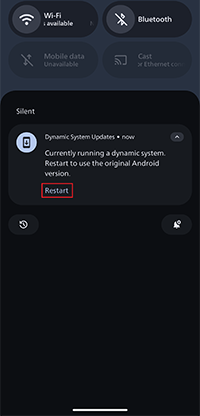
- Select "RESTART" on the notification of "Dynamic System Updates".
- After the device reboot, the software will return to the original state before the rewriting procedure.
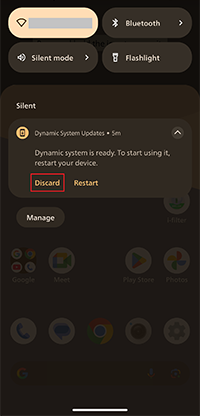
For your information, the downloaded Android 17 Beta Program software will remain in your device.
If you select "RESTART" on the notification of "Dynamic System Updates", Android 17 Beta Program software will be rewritten again.
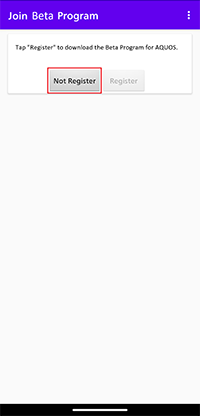
For the complete deletion of Android 17 Beta Program software, select "DISCARD" on the notification. - Lastly, launch Join Beta Program app and tap "Not Register" to complete the reverting procedure.